
Objective;
This blog helps you understand CLS issues and shows simple ways to fix layout shifts, improve website performance, create a smoother user experience, and increase search engine visibility and engagement.
Cumulative Layout Shift (CLS) is a common issue that affects how stable your website looks while loading. If elements like images, buttons, or text suddenly move around, it creates a poor user experience. Visitors may click the wrong thing or get frustrated, which can increase bounce rates and lower engagement.
According to Google, pages with good Core Web Vitals (including CLS under 0.1) can see up to 24% fewer users abandoning the site before it loads completely.
Fixing CLS is important not only for users but also for your search rankings. Google considers page experience as a ranking factor, and a high CLS score can hurt your website’s visibility. A stable, smooth-loading page builds trust and keeps users on your site longer.
In this blog, you’ll learn simple and practical ways to fix CLS issues and improve your website performance. From optimizing images to managing fonts and layouts, these steps will help create a better, more professional user experience.
Fix CLS Issues & Boost Website Performance with Mandy Web Design Experts – Starting From $10/Hour.
Key Takeaways
- CLS affects how stable your website looks and can impact user experience and SEO rankings.
- Common causes include images without sizes, ads, fonts, and poor layout structure.
- Fixing CLS involves setting dimensions, improving layout, and optimizing loading elements.
- A stable, fast website improves user engagement, trust, and overall performance.
Table of Contents
- What is Cumulative Layout Shift (CLS)?
- Why CLS is Important for SEO and Performance
- What Causes Cumulative Layout Shift?
- How to Measure CLS Score
- How to Fix Cumulative Layout Shift (Step-by-Step)
- Best Practices to Prevent CLS Issues
- Tools to Improve Website Performance Along with CLS
- Why Choose Mandy Web Design to Fix CLS & Improve Website Performance
- FAQs About How to Fix Cumulative Layout Shift
What is Cumulative Layout Shift (CLS)?
Cumulative Layout Shift (CLS) is one of Google’s Core Web Vitals metrics. It measures how much the visible content on your webpage unexpectedly moves during loading. In simple terms, CLS tells you how visually stable your page is from the moment it starts loading until it is fully interactive.
The CLS score is calculated by multiplying two values: the impact fraction (how much of the viewport is affected by the shifting element) and the distance fraction (how far the element moves). The resulting number gives you your CLS score.
CLS Score Benchmarks
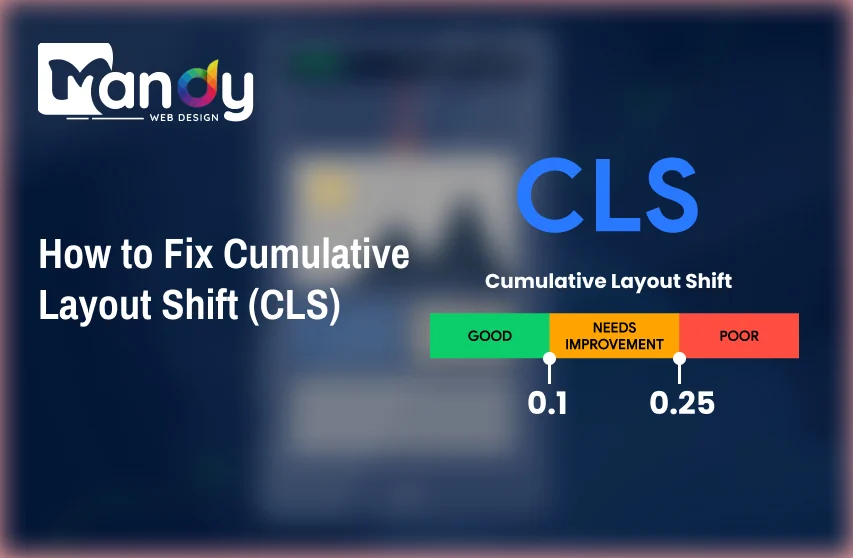
CLS Score | Rating |
0.1 or less | Good |
0.1 to 0.25 | Needs Improvement |
Above 0.25 | Poor |
A score of 0.1 or below is considered good by Google. Anything above 0.25 is flagged as poor and needs immediate attention. Think of CLS as a measure of how “jumpy” your page feels to users. When someone is about to tap a button and it suddenly shifts down because an image loaded above it, that is a layout shift — and it directly hurts your CLS score.
Understanding CLS is the first step toward building a better web design layout that loads cleanly and predictably across all devices and connection speeds.
Why CLS is Important for SEO and Performance
CLS is not just a technical metric — it has direct consequences for both your search engine rankings and your overall user experience. Google officially made Core Web Vitals, including CLS, a ranking factor as part of its Page Experience update. This means that a poor CLS score can push your pages lower in search results, reducing your organic visibility and traffic.
Impact on User Experience
When a page layout shifts unexpectedly, users lose trust in the website. They may accidentally tap wrong buttons, lose their reading position, or simply leave in frustration. This directly increases your bounce rate and reduces session duration — two behavioral signals that further influence your SEO performance.
A well-structured, stable page is a key element of good website design. Users expect pages to behave predictably. When your layout is stable, users feel more confident interacting with your content, which improves engagement metrics across the board.
Impact on Conversions
Layout shifts are especially damaging on landing pages, checkout pages, and forms. Imagine a user about to click “Buy Now” and the button shifts just as they tap — they end up clicking something else entirely. These micro-frustrations lead to abandoned carts, failed form submissions, and lost revenue.
Improving your CLS score directly contributes to a smoother, more trustworthy page experience that converts better. It is one of the most overlooked yet impactful ways to improve website UX without redesigning anything from scratch.
What Causes Cumulative Layout Shift?
Before you can fix CLS, you need to understand what causes it. Most layout shifts happen because the browser does not know the size of an element before it loads. Here are the most common culprits:
1. Images Without Defined Dimensions
When images do not have explicit width and height attributes in their HTML, the browser has no idea how much space to reserve for them. As the image loads, it pushes all the content below it downward — causing a noticeable layout shift.
2. Ads, Embeds, and Iframes Without Reserved Space
Ads are one of the biggest causes of high CLS scores. When an ad loads dynamically, it often appears above existing content, pushing everything else down. The same applies to embedded videos, social media widgets, and third-party iframes that inject content without pre-defined dimensions.
3. Web Fonts Causing Flash of Invisible or Unstyled Text (FOIT/FOUT)
When a custom font loads late, the browser first renders text in a fallback system font and then swaps it out for the web font. This swap can cause text blocks to resize and reflow, shifting surrounding elements.
4. Dynamically Injected Content
Any content that gets added to the page after initial load — such as cookie banners, chat widgets, notification bars, or dynamic recommendations — can push existing elements around if not handled correctly.
5. Animations and Transitions Using Non-Composited Properties
CSS animations that affect layout properties like top, left, margin, or padding can trigger layout shifts. Only animations using transform and opacity are considered composited and do not cause CLS.
6. Slow-Loading Third-Party Scripts
Third-party scripts from analytics tools, social plugins, and marketing platforms often inject content asynchronously. If these scripts add visible elements to the DOM without pre-reserved space, they will cause layout shifts.
Understanding these causes is fundamental when you are working through a proper website design process — addressing CLS from the ground up is far more efficient than patching it after launch.
How to Measure CLS Score
You cannot fix what you cannot measure. Fortunately, there are several reliable tools available to help you identify and analyze your CLS issues.
Google PageSpeed Insights
Visit pagespeed.web.dev and enter your URL. PageSpeed Insights gives you both lab data (simulated) and field data (real user data from the Chrome User Experience Report). It highlights your CLS score and flags specific elements contributing to the problem.
Google Search Console
The Core Web Vitals report inside Google Search Console shows you which URLs on your site have poor or needs-improvement CLS scores based on real-world user data. This is particularly useful for identifying patterns across large websites.
Chrome DevTools — Performance Tab
Open Chrome DevTools, go to the Performance tab, and record a page load. You can see layout shift events highlighted in red on the timeline. The Layout Shift Regions feature visually shows which elements are moving and by how much.
Web Vitals Chrome Extension
The Web Vitals extension by Google gives you real-time CLS scores as you browse your own website. It is a quick and easy way to check individual pages during development.
Lighthouse
Lighthouse (available inside Chrome DevTools or as a CLI tool) runs a full audit of your page and reports a CLS score along with recommendations. It is especially useful during development and testing phases.
Using these tools regularly — especially after making design or content changes — ensures your CLS stays within acceptable ranges and your site remains competitive in search rankings.
Is Your Website Losing Traffic Due to Poor User Experience?
Let Mandy Web Design optimize your website for better speed, stability, and engagement to keep visitors longer and convert more!
How to Fix Cumulative Layout Shift (Step-by-Step)
Now comes the most important part. Here is a practical, step-by-step guide to fixing CLS on your website.
Step 1: Always Define Width and Height for Images and Videos
The single most effective fix for CLS is adding explicit width and height attributes to every image and video element in your HTML. This allows the browser to calculate and reserve the correct amount of space before the media loads.
Proper image optimization goes beyond file size compression — it includes ensuring your images never contribute to layout instability by always reserving their display space in advance.
Step 2: Reserve Space for Ads and Dynamic Content
Never inject ads or dynamic content above existing content without pre-reserving the space. Use CSS to create placeholder containers with fixed minimum heights before the content loads.
For sticky ad units or banners that appear at the top of the page, always define their height in advance so surrounding content accounts for them from the very first paint.
Step 3: Optimize Web Fonts to Prevent Text Shifts
Additionally, preload your most important fonts in the <head> section of your HTML:
font-display: optional is the most aggressive option that eliminates font-swap shifts entirely — it only uses the web font if it is already cached. font-display: swap is a good middle ground for most websites.
Step 4: Handle Dynamically Injected Content Carefully
For cookie banners, chat widgets, and notification bars, always position them at the bottom of the viewport or use overlays instead of injecting them inline into the document flow. If they must appear at the top, reserve their height using a placeholder in your initial HTML so no content shifts when they load.
For content loaded via JavaScript (recommendations, comments, feed items), use skeleton screens — placeholder layouts that match the shape of the incoming content — to prevent visible shifts.
Step 5: Use CSS Animations Correctly
Replace layout-triggering CSS properties with transform equivalents. Using transform and opacity for animations keeps everything on the compositor thread and completely avoids CLS.
Step 6: Lazy Load Below-the-Fold Images Correctly
Lazy loading is great for performance, but it must be implemented correctly to avoid CLS. Always ensure lazy-loaded images still have defined dimensions. Use the loading=”lazy” attribute only on images below the fold — never on above-the-fold hero images.
For above-the-fold images, use loading=”eager” or simply omit the lazy attribute entirely to ensure they load as a priority and do not cause shifts on initial render.
Step 7: Set Size Attributes on Embedded Iframes
Always define explicit width and height on <iframe> elements, especially for YouTube embeds, maps, and third-party widgets:
Best Practices to Prevent CLS Issues
Fixing existing CLS problems is important, but preventing them in the future is even better. Here are best practices to build CLS resilience into your workflow from day one.
Build a Mobile-First, Stable Layout
Always design and test your layout starting from mobile. A mobile responsive website that behaves correctly on small screens tends to have fewer layout shift issues because it forces developers to think carefully about element sizing and flow from the start.
Follow a CLS Checklist During Development
Make CLS testing a mandatory part of your QA process. Before any page goes live, run it through PageSpeed Insights and Lighthouse and ensure the CLS score is under 0.1. Include this check in your staging review process.
Avoid Inserting Content Above Existing Content
As a general rule, never dynamically add content above anything already visible on the screen. If new content must appear near the top of the page, use overlay patterns (modals, toast notifications, side drawers) that do not affect the document flow.
Use Modern CSS Layout Techniques
CSS Grid and Flexbox help you build predictable, stable layouts that are less prone to unexpected shifts. These modern layout systems give you precise control over how elements are sized and positioned, reducing the chance of browser-calculated misalignments.
Staying current with UI/UX trends — including modern CSS techniques and component-based design patterns — helps you build pages that are both visually refined and technically stable.
Regularly Audit Third-Party Scripts
Third-party scripts are often beyond your direct control, but you can manage when and how they load. Audit your third-party integrations regularly. Defer or async-load non-critical scripts, and consider whether each integration is truly necessary. Every third-party script is a potential source of layout instability.
Design with Realistic Content in Mind
A major cause of unexpected CLS in production is that designs are tested with placeholder content that differs significantly from real content. Use realistic text lengths, real images at real dimensions, and actual ad sizes when testing your layouts. When you design with a proper understanding of the elements of good website design, stability and real-content testing should be built into the process.
Use a Content Delivery Network (CDN)
Faster asset delivery means less time between when the browser parses your HTML and when resources like images and fonts finish loading. A CDN reduces this window significantly, decreasing the opportunity for layout shifts to occur.
Tools to Improve Website Performance Along with CLS
Fixing CLS often goes hand in hand with broader performance improvements. Here are the best tools to help you address both:
Google PageSpeed Insights
The go-to tool for Core Web Vitals analysis. It gives you both field and lab data, flags specific CLS issues, and offers prioritized recommendations. Use it after every major update.
Lighthouse
Built into Chrome DevTools, Lighthouse audits performance, accessibility, SEO, and best practices in one report. Its performance score and CLS metric are essential for any SEO friendly website structure audit.
WebPageTest
WebPageTest offers advanced testing features including filmstrip views, waterfall charts, and visual comparison tools. You can test from multiple geographic locations and connection speeds, making it ideal for diagnosing performance issues across different user conditions.
Chrome User Experience Report (CrUX)
CrUX provides real-world performance data from Chrome users. Unlike lab tools, it reflects actual user experiences and is the same data source Google uses for its ranking signals.
GTmetrix
GTmetrix combines Google Lighthouse and Web Vitals data into an easy-to-read report. It also provides a video recording of your page load, making it simple to visually identify layout shifts.
Cloudflare
Cloudflare acts as both a CDN and a performance optimization platform. Its features — including image optimization, script minification, and caching — help reduce asset load times that contribute to CLS.
ImageOptim / Squoosh / Cloudinary
These tools help you compress and correctly size images before deploying them. Proper image handling is critical for CLS, and these tools make it easy to export images at the right dimensions and file size.
Using the right combination of these tools as part of your workflow helps you catch and resolve design issues early — before they reach real users and affect your rankings or conversions.
When you take time to properly optimize website UI/UX using data from these tools, you are not just chasing a metric — you are building a fundamentally better product for your audience.
Why Choose Mandy Web Design to Fix CLS & Improve Website Performance
When it comes to fixing Cumulative Layout Shift (CLS) and improving overall website performance, choosing the right team makes all the difference. Mandy Web Design, a leading web design agency, focuses on creating fast, stable, and user-friendly websites that not only look great but also perform exceptionally well on search engines.
Mandy Web Design offers complete solutions—from fixing layout shifts and improving Core Web Vitals to enhancing website speed and usability. Our team follows a result-driven approach, ensuring your website delivers a smooth experience across all devices. Whether it’s optimizing images, refining layouts, or improving loading behavior, every detail is handled carefully.
If your website is struggling with CLS issues or slow performance, Mandy Web Design can help you turn it into a fast, stable, and SEO-friendly platform that drives real results.
Want to Fix CLS Issues and Improve Your Website Performance?
Get expert help from Mandy Web Design to create a fast, stable, and high-performing website that ranks better!
FAQs About How to Fix Cumulative Layout Shift
A CLS score of 0.1 or below is considered good by Google. Scores between 0.1 and 0.25 need improvement, while anything above 0.25 is poor. Aim to keep your score as close to zero as possible for the best user experience and SEO performance.
Yes, CLS is part of Google’s Core Web Vitals, which are official ranking factors. A high CLS score signals a poor page experience, which can lower your search visibility. Improving your CLS score helps boost rankings, increase organic traffic, and strengthen your overall SEO performance significantly.
When images lack defined width and height attributes, the browser cannot reserve space for them during loading. As the image loads, it pushes surrounding content downward, causing a visible shift. Always specify image dimensions in your HTML or CSS to prevent this common and easily fixable CLS issue.
Absolutely. Third-party scripts like ad networks, chat widgets, and social plugins often inject content dynamically after the page loads. This pushes existing elements around without warning. Deferring non-critical scripts, reserving container space in advance, and regularly auditing third-party integrations can significantly reduce their negative impact on your CLS score
Core Web Vitals include three metrics: LCP (Largest Contentful Paint) measures loading speed, FID or INP measures interactivity and responsiveness, and CLS measures visual stability. While LCP and INP focus on speed and response, CLS specifically tracks how much page content unexpectedly moves during and after loading.
Lazy loading can cause CLS if images are not given defined dimensions. When a lazy-loaded image lacks width and height attributes, it collapses to zero before loading and shifts content when it appears. Always set explicit dimensions on lazy-loaded images to ensure the browser reserves the correct space beforehand.
You should check your CLS score after every major website update, new feature launch, or content change. Running monthly audits using tools like Google PageSpeed Insights or Google Search Console is also recommended. Regular monitoring helps you catch new layout shift issues before they impact real users or your search rankings.
Yes, web fonts are a common but often overlooked cause of CLS. When a custom font loads late, the browser swaps the fallback font, causing text blocks to resize and shift surrounding content. Using font-display: swap and preloading critical fonts in your HTML head section effectively minimizes font-related layout shifts.

About the Writer
Abhishek Thakur
Sr. Content Writer at Mandy Web Design
Abhishek Thakur is the Senior Content Writer at Mandy Web Design, where he crafts engaging content for the company’s website, blog, and marketing campaigns. With 5+ years of experience in digital marketing and SEO content creation, he specializes in turning complex topics into easy-to-understand, actionable strategies that help businesses grow online. He is passionate about creating high-quality, value-driven content that connects with audiences and builds brand authority. When he’s not writing, he enjoys exploring new ideas, learning the latest marketing trends, and improving his creative skills.